
BlazeTV
BLAZE MEDIA LLCNews & Magazines
3.73.84K Reviews
- Version
- Varies With Device
- Installs
- 500.00K
- Age Rating
- Teen
Screenshots
Our Review of BlazeTV
 Analysis by Appyee
When I want news and commentary on my phone, I care about two separate things: whether I can get to something worth watching quickly, and whether the app suits the way I like to follow current events. BlazeTV is built around a clearly conservative point of view, so its appeal depends less on having a little of everything and more on whether that perspective is one you actively want in your media routine.
Quick access is more useful than a promise of speed
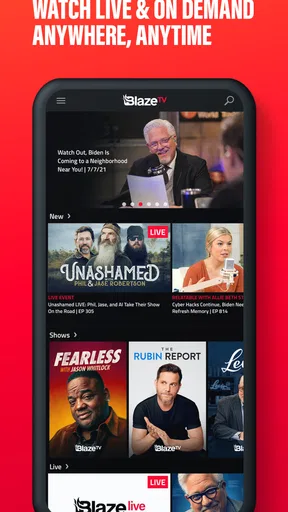
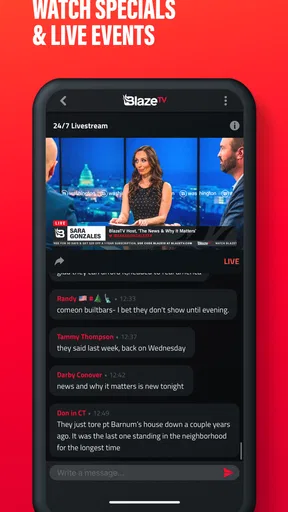
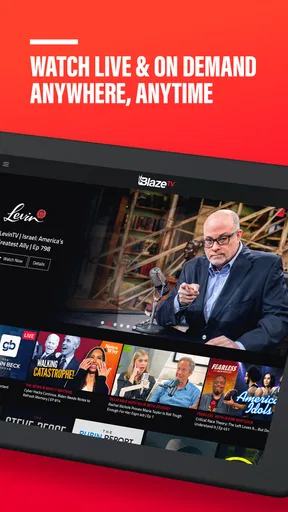
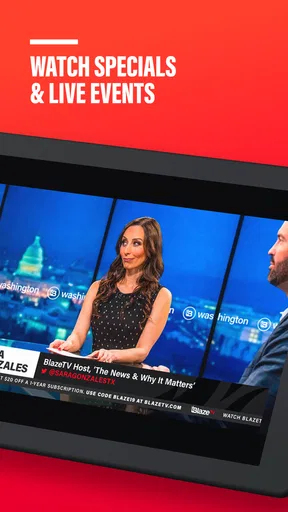
For a video-focused news app, the practical speed test is simple: can I get from opening it to the program I came for without a lot of hunting? The interface I encountered felt straightforward, with routes to live and on-demand material that were easy to understand. That helps on a short break, when I would rather spend the time watching than figuring out where a show lives.
Streaming smoothness is a different matter from menu responsiveness. Video depends on the connection available at the time, so I would not treat one good session as a guarantee for every network or location. If a program matters to me, I make sure I have enough time and a reliable connection rather than assuming a stream will behave identically on cellular data, home Wi-Fi, and a crowded public network.
How I would use it on a busy day
A realistic routine might be to check a live broadcast when I have a few minutes at home, then pick an on-demand program later when I can give it more attention. If I am commuting, audio-oriented content is a better fit than trying to watch video while moving around. I would save a show I plan to return to, rather than relying on memory or spending my next break searching again.
That approach also helps keep a news app from taking over the day. I can choose a particular program or topic, listen during a suitable stretch of time, and stop there instead of leaving a stream running in the background. For someone who wants a focused source of commentary, that is a more deliberate habit than opening a general news feed every few minutes.
Heavy use and the trade-offs of watching on a phone
Long sessions put more demands on a device than a quick check-in: the display stays active, video uses a steady connection, and the phone may be doing other work at the same time. I would plan a longer viewing session around a charger and a stable network, especially if I am away from home. Those are sensible precautions for mobile video, not a claim that BlazeTV uses an unusual amount of battery or data.
Audio can be the more comfortable choice when I do not need the picture. It suits chores or a commute better, and it avoids keeping a screen in front of me. The trade-off is that I may miss visual context or material that works best as a full program, so I would choose the format based on what I am doing rather than treating video and audio as interchangeable.
Reliability means planning for the session
I find it useful to separate the app’s layout from the conditions around it. An easy-to-follow menu reduces friction, but a weak connection can still affect a stream. If playback stalls, I would first check whether other internet-dependent apps are having trouble, then try again once the connection is steadier. That is a practical first step before assuming the problem is specific to the app.
For viewing away from a dependable connection, the original experience described offline downloads as an option. I would use that as a way to prepare for a flight or a patchy commute rather than wait until I am already offline. Before depending on saved material, I would check that the intended program is available to download and ready on the device; that small bit of planning is more reliable than hoping a live stream will work in a low-signal spot.
Who benefits from a focused viewpoint
BlazeTV is most suitable for people who deliberately seek conservative commentary and want shows and related entertainment gathered in one place. It is less suitable as a sole news source for someone who wants a broad range of political perspectives in the same experience. I would pair it with other sources if balance across viewpoints is a priority, rather than expecting one editorial lens to cover every angle.
Compared with a general news app, the appeal here is the concentration on a particular style of commentary, not a neutral mix of headlines from across the media landscape. Compared with watching individual programs elsewhere, a dedicated app can make it easier to keep that material together. The trade-off is focus: if I am looking for a wide variety of sources or mainly quick headline summaries, a broader news service is likely a better everyday starting point.
Getting Started with BlazeTV
First off, downloading the BlazeTV app was a breeze. Available on both Android and iOS, it took just a couple of minutes to install. Once I fired it up, I was greeted with a clean and easy-to-navigate interface. The layout makes it super simple to find your way around, even if you're not the most tech-savvy person out there.
The sign-up process was straightforward, too. You can choose between different subscription plans, depending on how deep you want to dive into the content pool. They’ve got everything from monthly to annual plans, so there’s flexibility based on your viewing habits.
Exploring the Content
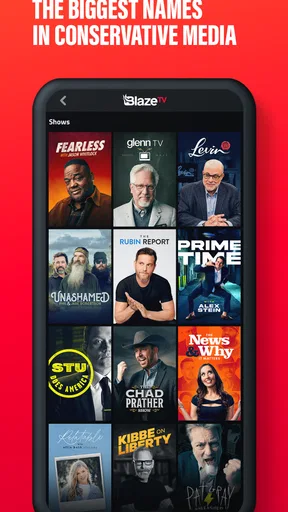
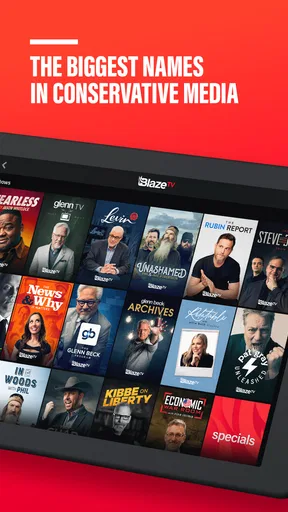
Now, onto the good stuff—the content. BlazeTV offers a mix of live TV, on-demand shows, and podcasts. It's a one-stop shop for conservative commentary and entertainment. You'll find popular shows like "The Glenn Beck Program," "Louder with Crowder," and "LevinTV." Each show is packed with engaging content that keeps you coming back for more.
For those who love podcasts, BlazeTV has a decent selection to choose from. I found myself listening to "The Chad Prather Show" quite a bit. It's witty and insightful, perfect for keeping me entertained during my daily commute.
Video quality is top-notch, as long as you’ve got a stable internet connection. I didn’t experience any buffering issues, which is always a plus when streaming.
User Experience
One of the things I appreciate about BlazeTV is its user-friendly design. The menu is intuitive, allowing you to easily switch between live broadcasts and on-demand content. The search feature works well, helping you find your favorite shows or discover new ones with ease.
The app also lets you customize your experience. You can save your favorite shows, set reminders for new episodes, and even download content for offline viewing. This is a lifesaver for those long flights or areas with spotty internet coverage.
Community and Engagement
What sets BlazeTV apart is its focus on community engagement. The app encourages interaction through its comment sections and social media integrations. It feels more like a community of like-minded individuals rather than just a streaming service. You can share your thoughts on episodes and connect with other viewers, which adds an extra layer of enjoyment to the experience.
Is BlazeTV Worth It?
So, is BlazeTV worth your time and money? If you're someone who leans towards conservative viewpoints and enjoys engaging content from prominent voices in the community, then yes, it's definitely worth checking out. The app delivers a solid mix of news, entertainment, and insightful commentary.
However, if you're looking for a broader range of viewpoints or aren't particularly interested in the conservative angle, you might want to explore other options. That said, BlazeTV knows its audience and caters to it well.
BlazeTV is a free app in the News & Magazines category, developed by BLAZE MEDIA LLC. It has an average rating of 3.8 from around 7,200 ratings, with about 3,800 written reviews and over 500,000 installs. The Teen age rating is worth keeping in mind for families deciding whether its commentary and entertainment suit younger viewers. The current version is 9.58.0, and the app is listed for devices running iOS 7.1 or later.
Free to install does not necessarily mean every way of using the service is free: in-app purchases are listed from $14.99 to $120.00 per item. I would check the terms shown in the app before committing to a purchase or subscription, and decide what I expect to watch regularly first. If I only want to sample a show, I would avoid assuming that a paid plan is essential or that every program is included without a charge.
Small habits that make the app easier to live with
Search is most useful when I already have a host or show in mind; browsing is better when I am in the mood to discover something. I would use favorites to build a compact starting point rather than save everything that looks interesting. That keeps the app useful when I have only a few minutes and prevents a long list from becoming another thing to sort through.
Reminders can help if I follow a particular program, but I would reserve them for shows I genuinely intend to watch. Too many alerts turn a helpful nudge into noise. Similarly, downloaded viewing is most valuable when planned ahead: choosing a specific program before travel is more practical than trying to decide what to watch once connectivity is already limited.
The community features add another layer, but they are not necessary to get value from the programs themselves. I would use comments when I want to see how other viewers are responding, while keeping in mind that discussion around a politically focused service is not a substitute for reporting from sources with different editorial approaches. If I want conversation without that shared perspective, a broader public forum may be a better fit.
Device fit and deciding whether to keep it
The app is aimed at mobile viewing, but the experience still depends on the phone or tablet and the network around it. On an older or storage-constrained device, I would be selective about offline downloads and remove saved files once they are no longer needed. This is a general way to manage space when keeping video on a phone, not a claim that the app has a particular storage footprint.
If I were choosing between BlazeTV and a broad headline aggregator, I would ask what I actually want from the next session. For a focused program, familiar hosts, and commentary from a conservative viewpoint, BlazeTV has a clearer purpose. For quick coverage across many outlets, a general news reader is more efficient; for a deliberately mixed perspective, I would combine sources rather than expect this app to provide that range by itself.
One practical way to judge fit is to try a short session before building a routine around it. Find a program you recognize, test playback on your usual connection, and see whether the format and tone hold your attention. Then consider whether you would use the live, on-demand, or audio options often enough to justify any purchase you are considering. That gives a more grounded answer than browsing a long catalog without a particular use in mind.
My performance verdict
My overall impression is that BlazeTV’s strongest performance advantage is ease of finding its particular kind of programming, not a measurable promise about speed or resource use. The menus felt approachable in my experience, and stable connectivity made streaming comfortable. For longer sessions, I would still plan around network quality, battery, and available device space as I would with any video service.
Its main limitation is also its defining choice: the content is tailored to a specific political audience. If that is what I want, a focused app is more convenient than piecing together individual programs. If I want a comprehensive, viewpoint-diverse news habit, I would use other sources alongside it or choose a broader service instead.
Overall, BlazeTV offers a robust platform for those interested in conservative media. With its user-friendly design, diverse content, and community engagement features, it’s a solid choice for anyone wanting to stay informed and entertained from a conservative perspective.
Give it a try and see if it fits your style. Who knows, you might just find your new favorite show or podcast!
Verdict
Strengths of BlazeTV
- High-quality streaming with minimal buffering.
- Diverse content ranging from news to entertainment.
- User-friendly interface easy for all ages.
- Offline viewing options for on-the-go access.
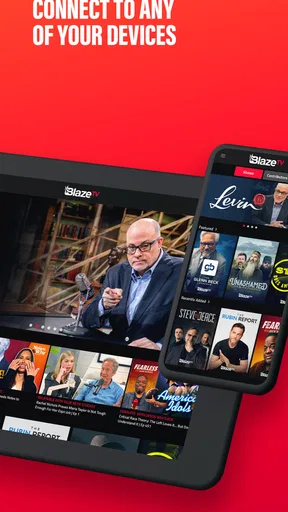
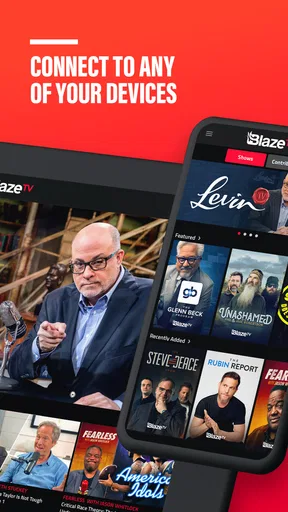
- Compatible with multiple devices and platforms.
Limitations of BlazeTV
- Limited free content; subscription required.
- Occasional app crashes on older devices.
- Some content may not be available worldwide.
- No parental control features available.
- Ads present even with a subscription.
Similar Picks in This Category
View All
Google News - Daily Headlines
Google LLC4.0

X
X Corp.4.8

Flipboard:Your Social Magazine
Flipboard3.4

Opera News: breaking & local
Opera4.5

Hindi News by Dainik Bhaskar
Dainik Bhaskar Group4.0

Way2News Daily News App
Way2News ( Formerly Way2SMS )4.6
Frequently Asked Questions
What is BlazeTV and what content does it offer?
BlazeTV is a streaming platform that provides a variety of conservative news and entertainment content. It hosts shows, documentaries, and podcasts featuring popular personalities and commentators. The app focuses on political commentary, cultural discussions, and original programming aimed at audiences interested in conservative viewpoints.
Is BlazeTV available on both Android and iOS devices?
Yes, BlazeTV is available for download on both Android and iOS platforms. Users can easily find the app on the Google Play Store for Android devices and the Apple App Store for iOS devices. This ensures accessibility for a wide range of users across different mobile platforms.
Does BlazeTV require a subscription?
BlazeTV operates on a subscription model, meaning users need to subscribe to access its full range of content. Several subscription options are available, including monthly and annual plans. Some content might be accessible for free, but most exclusive programming requires a paid subscription.
Can I watch BlazeTV offline?
BlazeTV offers an offline viewing feature for subscribers, allowing them to download select content to watch later without an internet connection. This is particularly useful for users who want to enjoy their favorite shows and podcasts while traveling or in areas with limited connectivity.
Are there parental controls available on BlazeTV?
BlazeTV does not specifically mention parental controls within the app. However, the content is generally aimed at a mature audience, focusing on news and political commentary. Parents may want to supervise younger viewers and use device-level controls to manage app access if necessary.
